
MetaTrader 5 Trade Copier Tutorial
In this video we are demonstrating how to install our Trade Copier Expert Advisors.
We have two EAs. The Master Copier and the Slave Copier. Both only work on MT5 Terminals that are installed on the same PC or VPS.
There is not limit on the number of MT5 Terminals you can connect to the Master Copier.
But please be aware that it is your responsibility not to violate any user terms when it comes to Funded Accounts.
This technology is ideal for personal use and in case you want to connect accounts that you all own yourself.
Now lets take you step by step on how to install and use the Copiers.
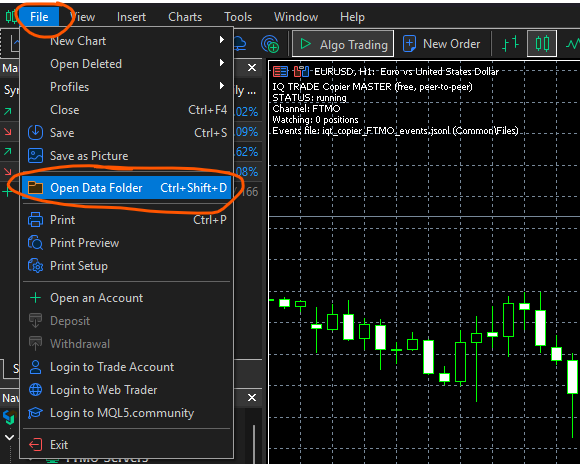
Go to your MT5 Terminal, click on the File Option the Open Data Folder.
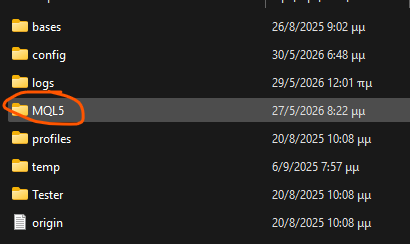
Then open the MQ5 Folder.
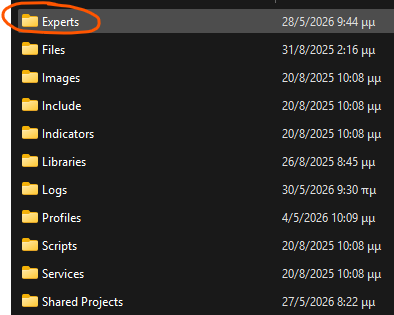
Then open the Experts Folder.
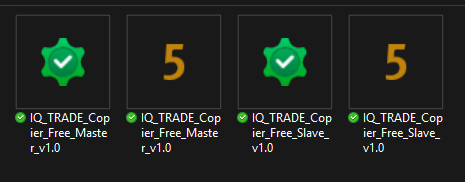
Copy and paste in this folder the four files you downloaded when you acquired our FX Kit. Do this process for the Master and also the Slave MT5 Accounts.
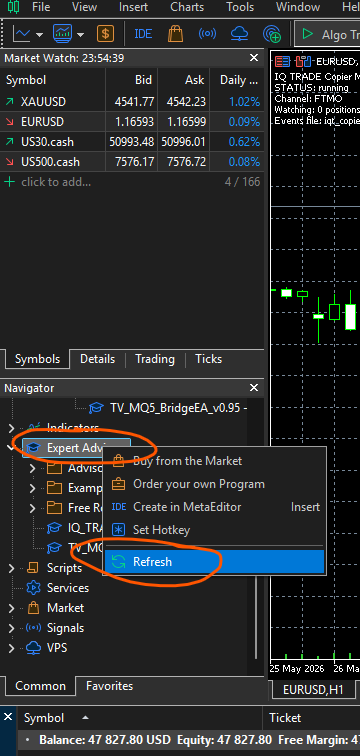
Go back to your MT5 Terminal scroll down to the Experts Advisors section, right click there and select Refresh. Now for your Master MT5 Account do this.
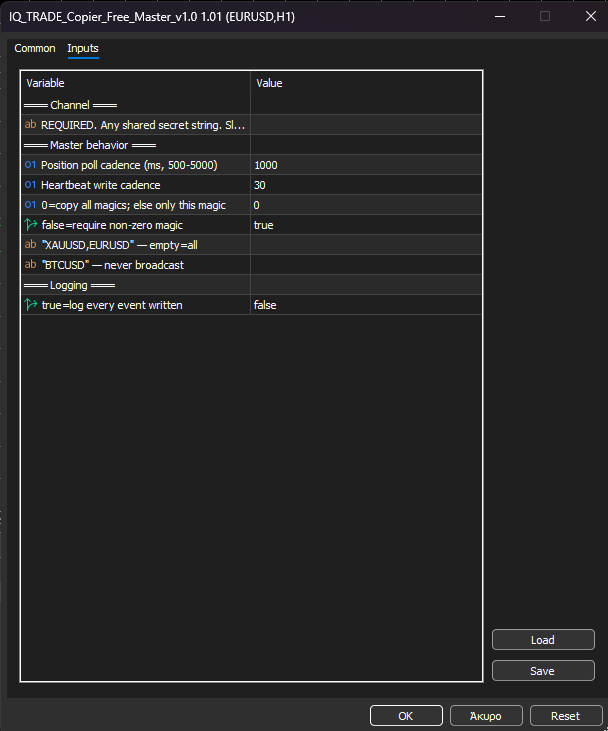
Open a new chart and drag and drop in the chart the Master Copier Expert Advisor. In the channel field input a word (any word will do you will also copy and paste the same channel word for the Slave Copier). So the only thing you do here is to set the channel name.
Now go to your Slave Copier MT5 Account and open a new chart and drag and drop the Slave Copier MT5 Expert Advisor.
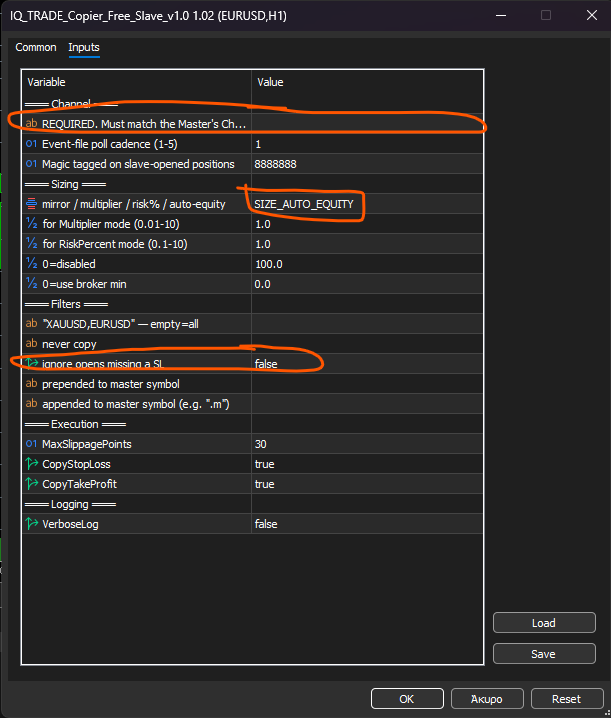
On the Channel Section please input the same Channel name you set on the Master Copier Expert Advisor on your Master MT5 Account. If you want to copy manual trades between your accounts set the ignore opens missing a SL to false. By default the Slave Copier adjusts the Lot size according to the Master Account so the lot sizes are adjusted to different accounts with different balances. That’s it. You have connected your MT5 Accounts.