Trading View Strategy Tutorial
In the video above we are demonstrating how to use the IQ TRADE Trading View Strategy.
This Script can be utilized to design trading strategies that you can then use for technical analysis, set alerts and connect the strategy to:
- 3Commas for DCA Bot (Single Bot, Multi Bot) and the new Smart Bot.
- Binance (via webhook)
- Bybit (via webhook)
- OKX (via webhook)
- Meta Trader 5 (via the Code Boxes Option and the use of the TV-MT5 Bridge.
When you want to set an alert on Trading View this is the way to do it.
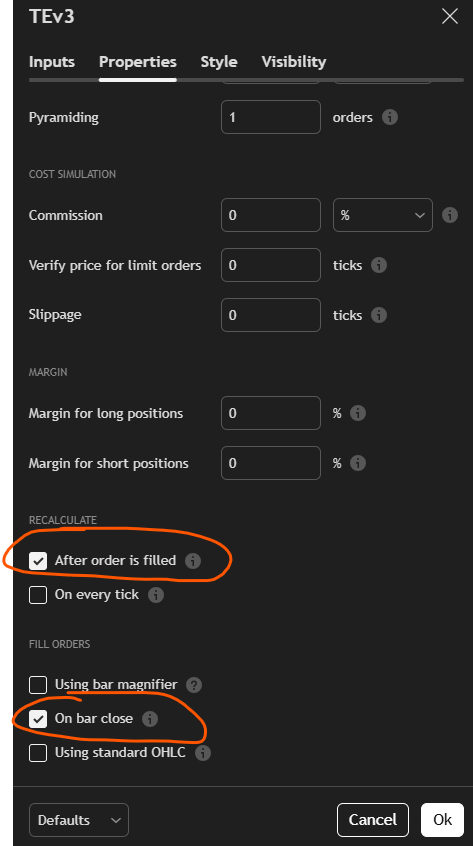
Before you set the alert make sure that on the Properties section you click After order is filled and On bar close.
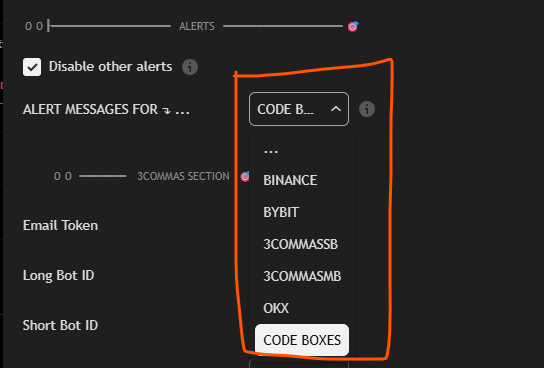
Also make sure in the Inputs Section that you select the Alerts Mode suitable for your case.
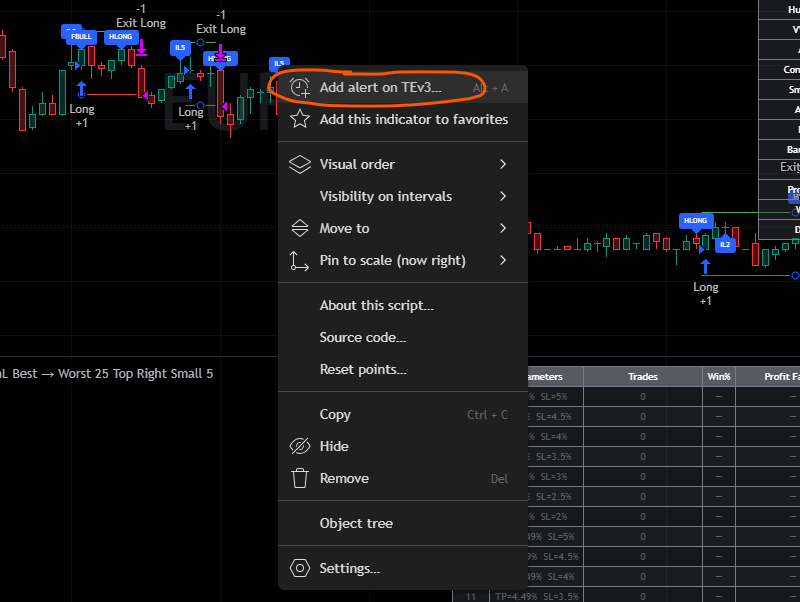
Right click anywhere on the strategy labels on the chart and then select the Add alert on option.
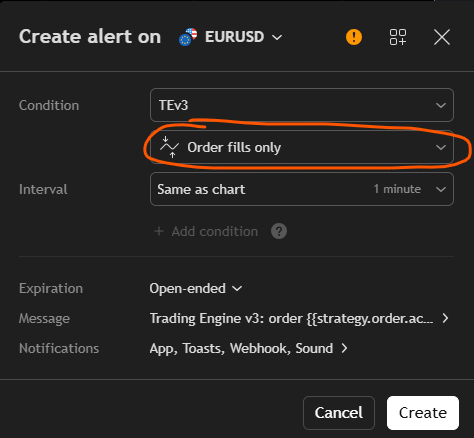
Make sure in the conditions to select Order fills only. Set Expiration to Open Ended.
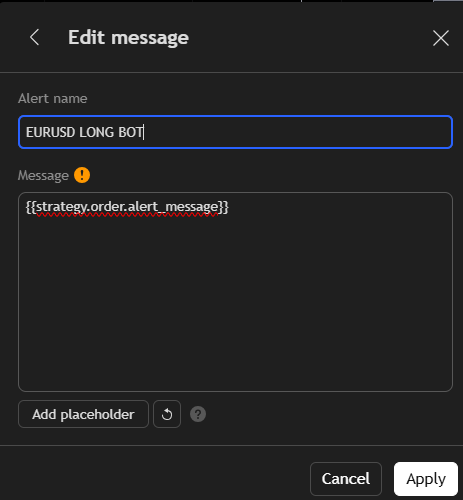
Then click on the Message Option, delete the initial trading view message and copy paste this
{{strategy.order.alert_message}}
Set a title of your choosing ex EURUSD Long Bot.
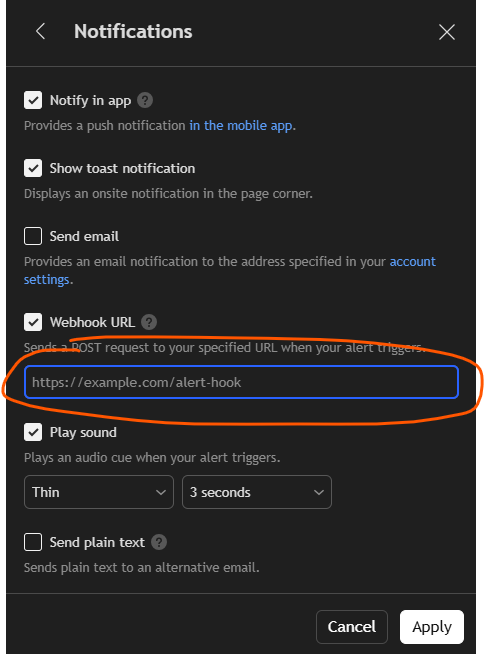
Click on Notifications and paste your webhook url.