
Trading View Indicator Tutorial
In this tutorial we are demonstrating how to use our Trading View Indicator to optimize your strategy settings. All the analytical information regarding how to use the indicator is included in our IQ TRADE Manual that you receive when you buy our products.
As mentioned in the video it is used to Optimize Hull, VWAP and TrendLine Settings.
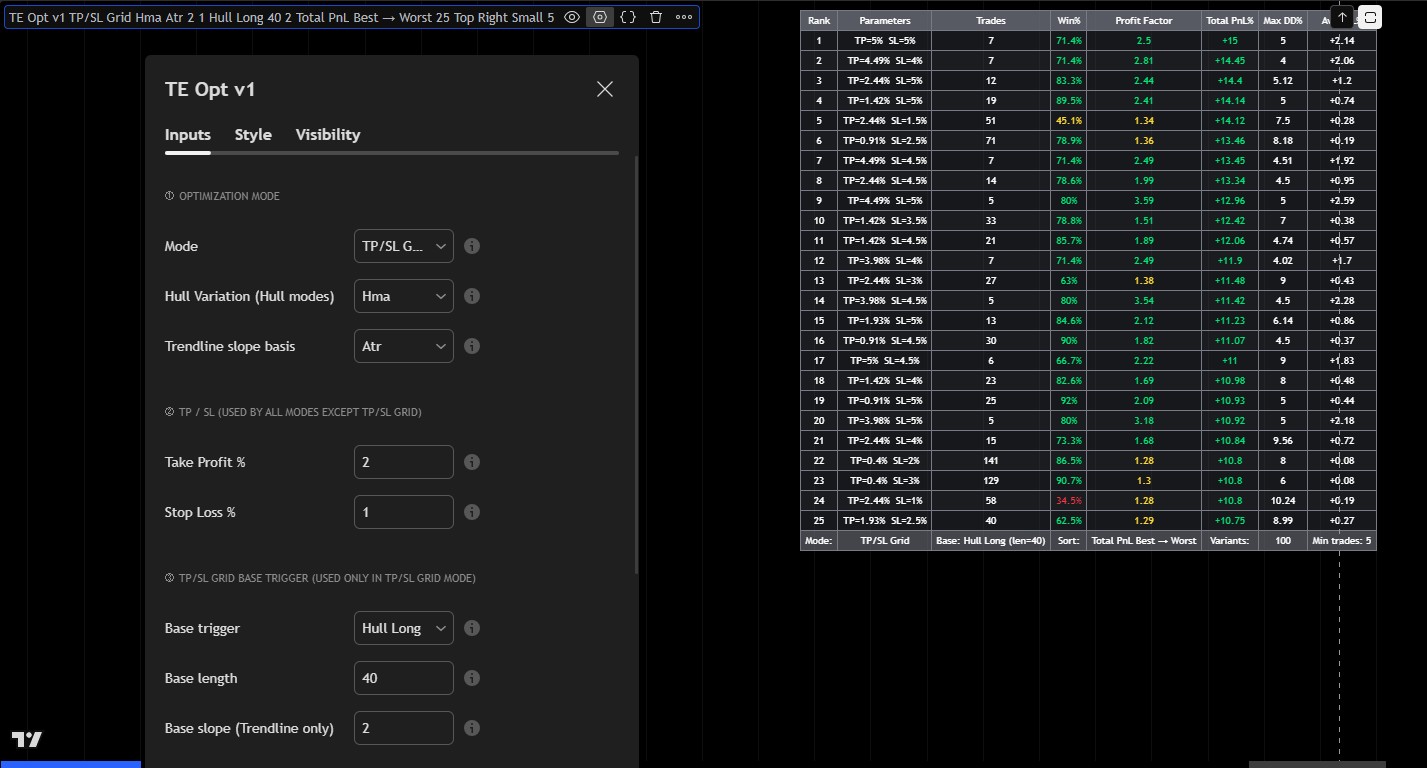
The first step is to install the indicator on the same chart along with the strategy. Start will a double click on the Indicator section so it can capture the entire screen.
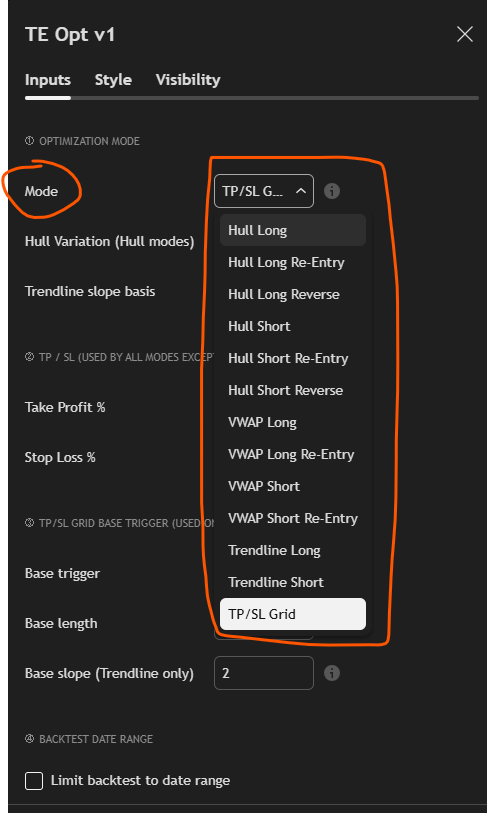
Go to the Mode setting and select the trigger that you want to optimize. Also set the Take Profit and Stop Loss in the Indicator Dashboard.
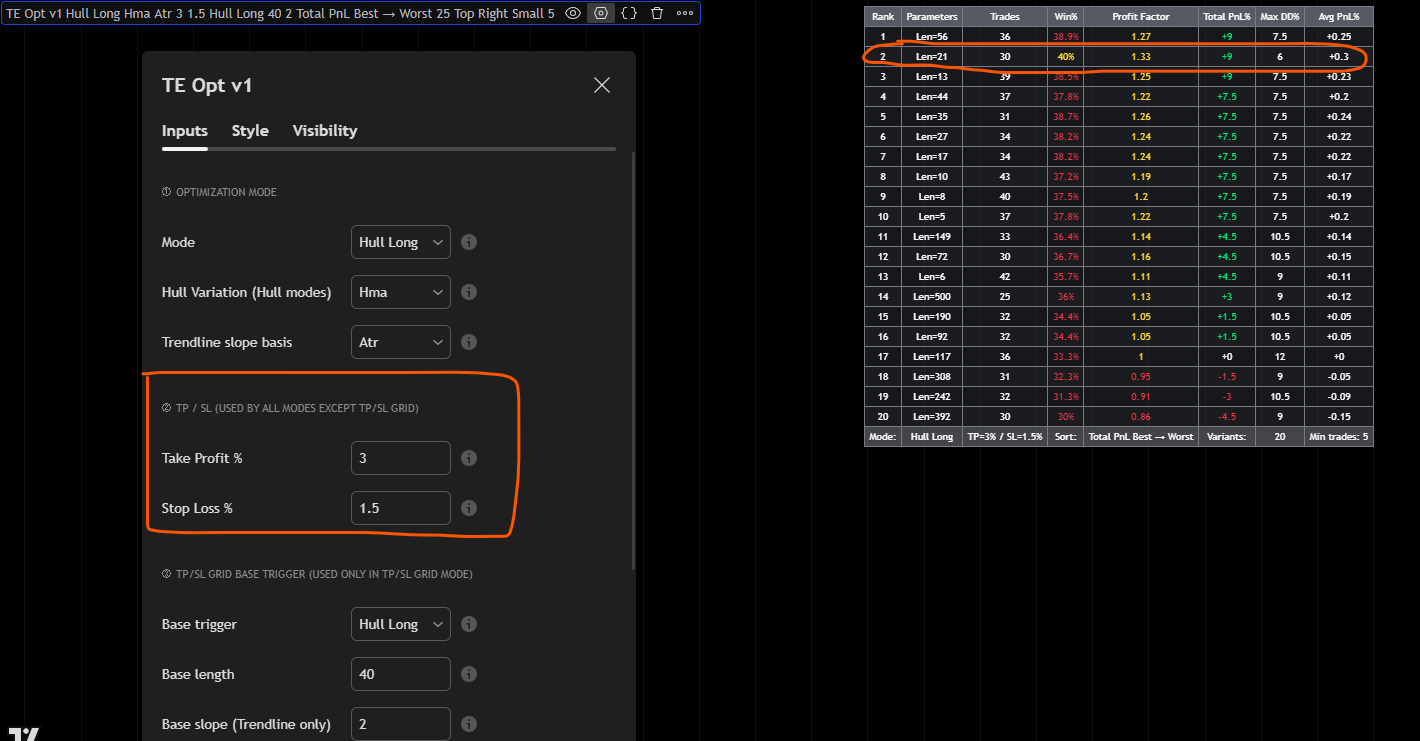
Then check the board. The Indicator says that the best results for Hull Long come with Length set at 21. You can then go to the strategy and also explore settings around 21 (ex 18,19,20,22,23 etc).
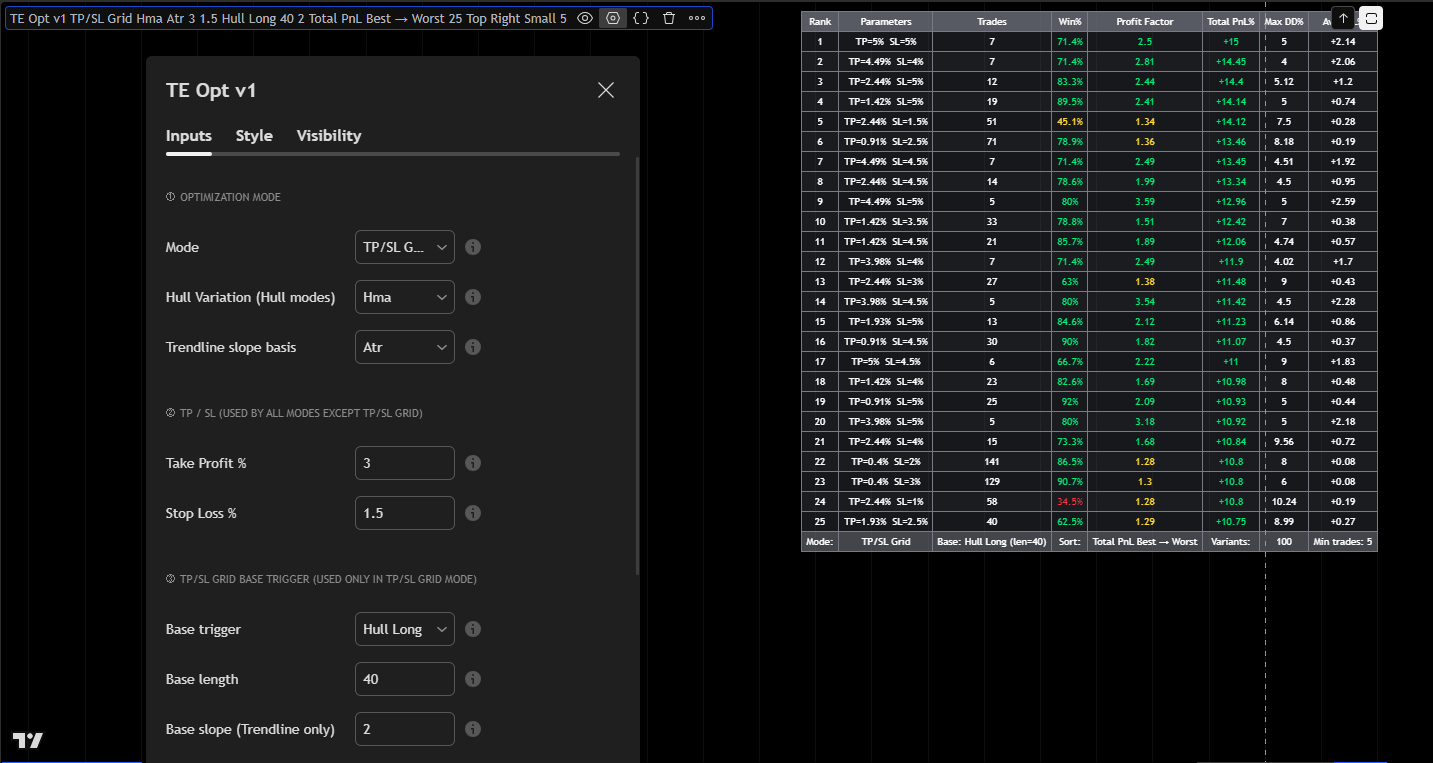
Another powerful way to use the Indicator is to utilize the TP/SL Grid Mode. Select this on the Mode Section and then in the TP/SL Grid Base set the Base Trigger (ex Hull Long) and then the Base Length. Then check the board for the best Take Profit and Stop Loss settings for this trigger.